Anastacia Devlin
Anastacia
Devlin
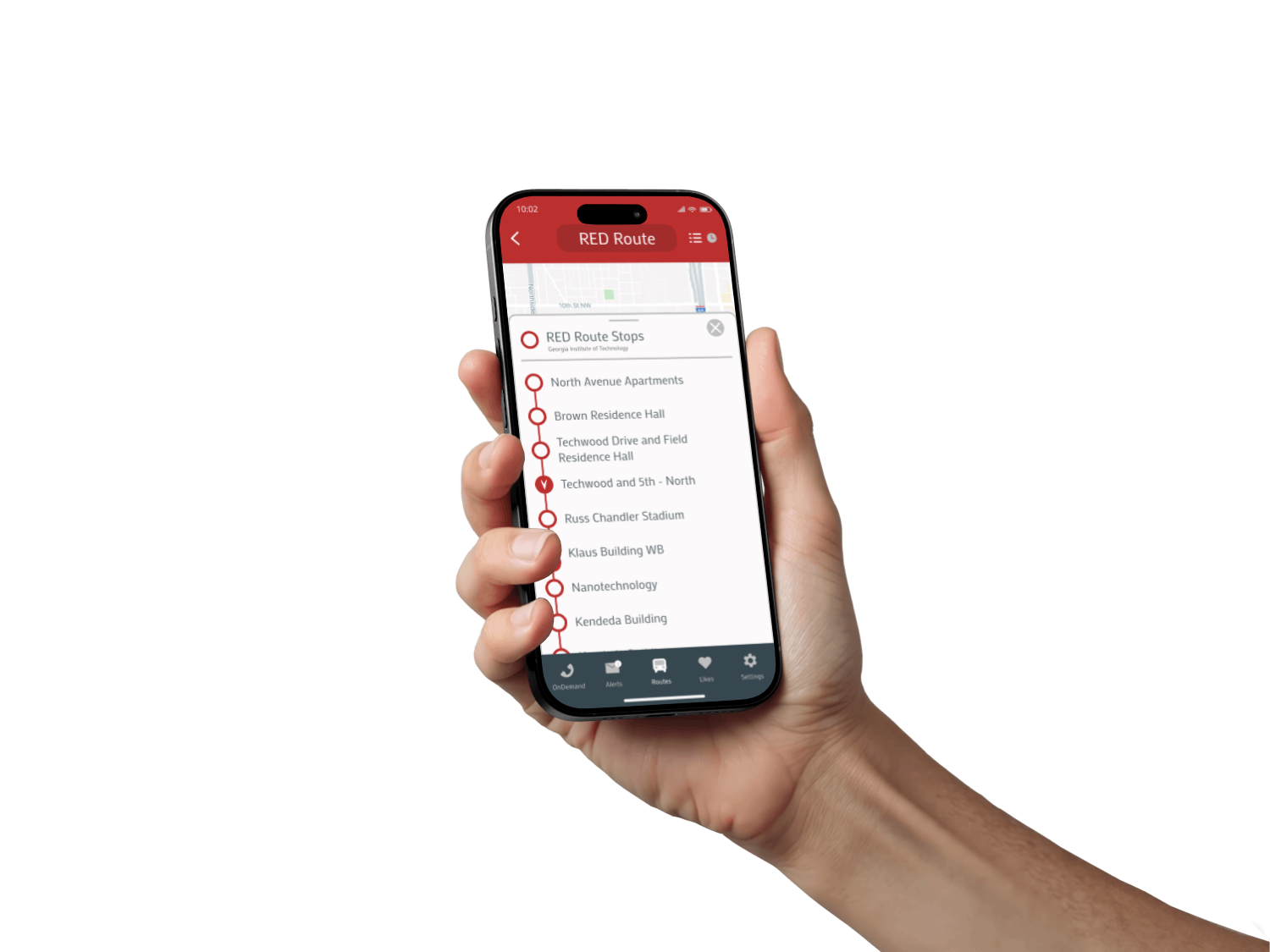
TransLoc App Audit
Reducing friction in campus transportation
Role
UI/UX Designer
Timeframe
2 weeks
Team
Solo Project
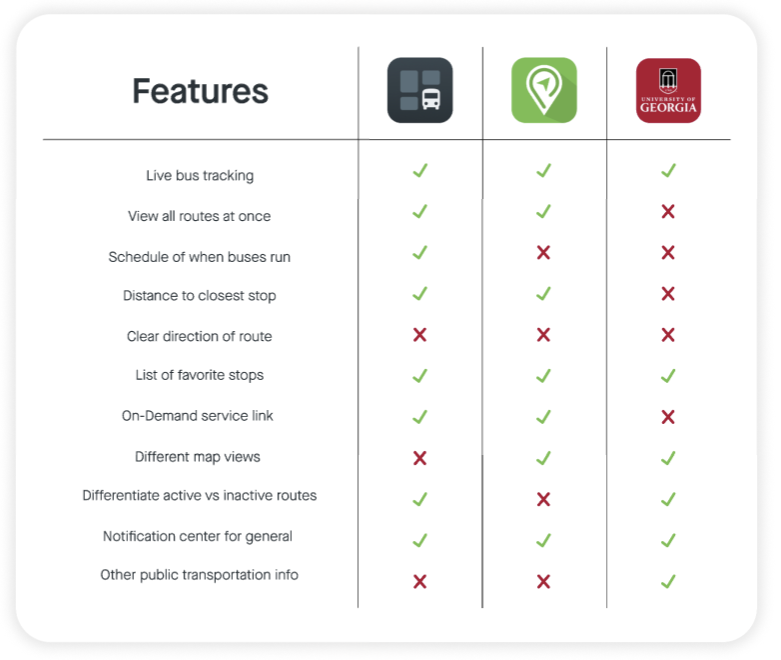
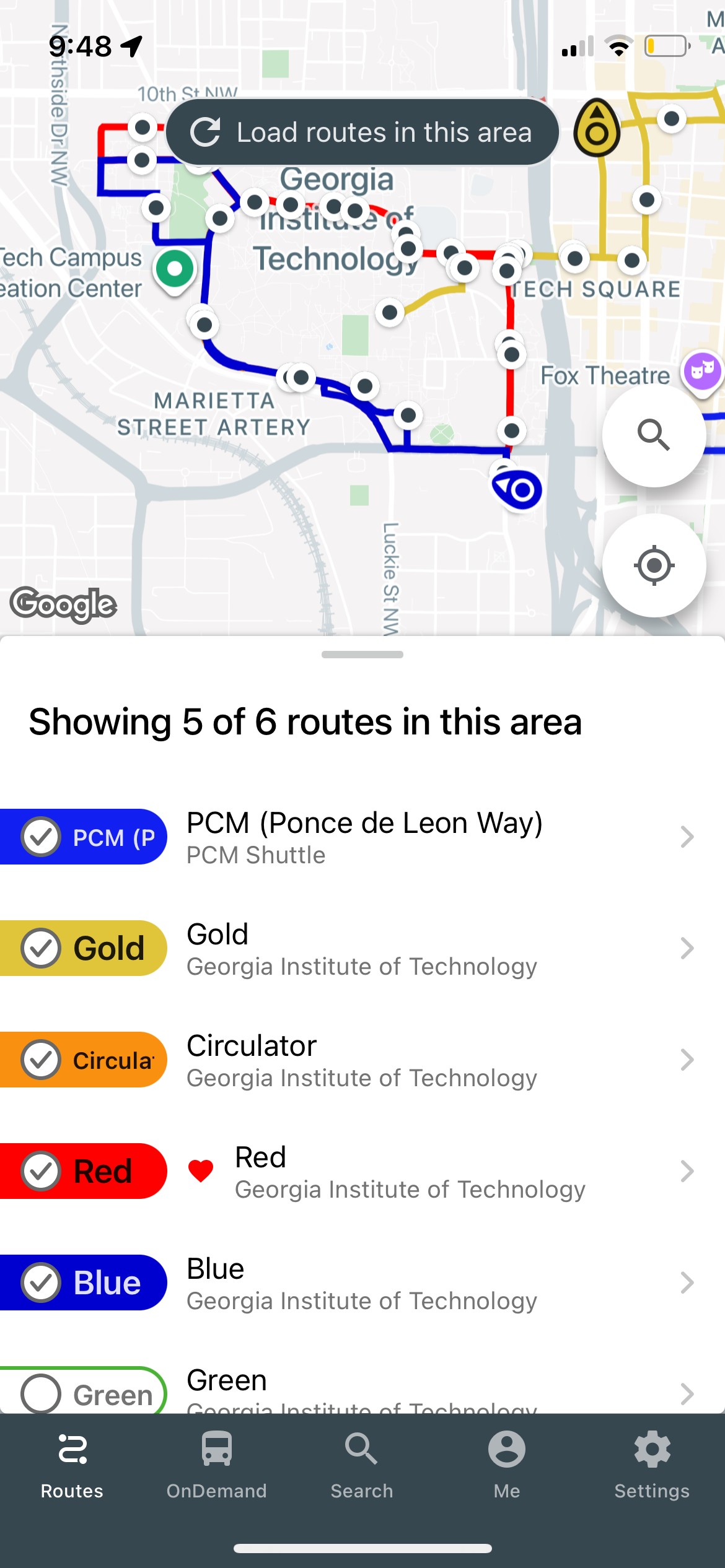
With two weeks to complete this audit, I began with a quick comparative analysis with other university transportation apps.
Then, I conducted short interviews with students to understand what issues they experienced. Many stemmed from the overall flow of the app.
better than the others, but still not the best
improving information architecture







Interaction
Information
Open App
Routes
Select
route
Stingerette
Addresses
Agency Preferences
Send Feedback
Edit Account
Search
Paratransit
Routes
Selected
Route
Location
Map of Area
Map of Area
(buses on route)
Dropoff Location
Route
Schedule
Pickup Location
Bus Stops
on Route
Set
Pickup Time
Confirm Details
Number of Riders
Bus Stop List View
Service Notifications
Wheelchair User
Options
Arrival
Estimate
Leave
by time
Active Map Directions
Fare
Estimate
Duration
Destination
Liked bus stops
Ride History
Privacy Policy
Log Out
Homing
GCATT
On Demand
Search
Me
Settings

Closest
Bus Stop
Set Arrival
Notification
Bus
Capacity
Distance to
Closest Stop
Like Route
Estimated
Arrival (min)
Alerts
Select Alert

Settings
Search
Nearby
Agencies
Visible
Receive Alerts
Before
After



Open App
On Demand
Alerts
Routes
Likes
Settings
Visible Alerts
Liked Stops

Settings
Search
Nearby
Agencies
Visible
Receive Alerts
Address
Select route
Search
Homing
Interaction
Information
Stingerette
Paratransit
Map of Area
Dropoff Location
Pickup Location
Set
Pickup Time
Confirm Details
Number of Riders
Service Notifications
Wheelchair User
GCATT
Map of Area
(buses on route)
Route
Schedule
Bus Stops
on Route
Bus Stop List View
Closest
Bus Stop
Set Arrival
Notification
Set Arrival
Notification
Bus
Capacity
Bus
Capacity
Distance to
Closest Stop
Distance to
Closest Stop
Like Route
Like Route
Estimated
Arrival (min)
Estimated
Arrival (min)
Location
Options
Arrival
Estimate
Leave
by time
Active Map Directions
Fare
Estimate
Duration
Destination
Agency Preferences
Send Feedback
Edit Account
Ride History
Privacy Policy
Log Out
Before
After
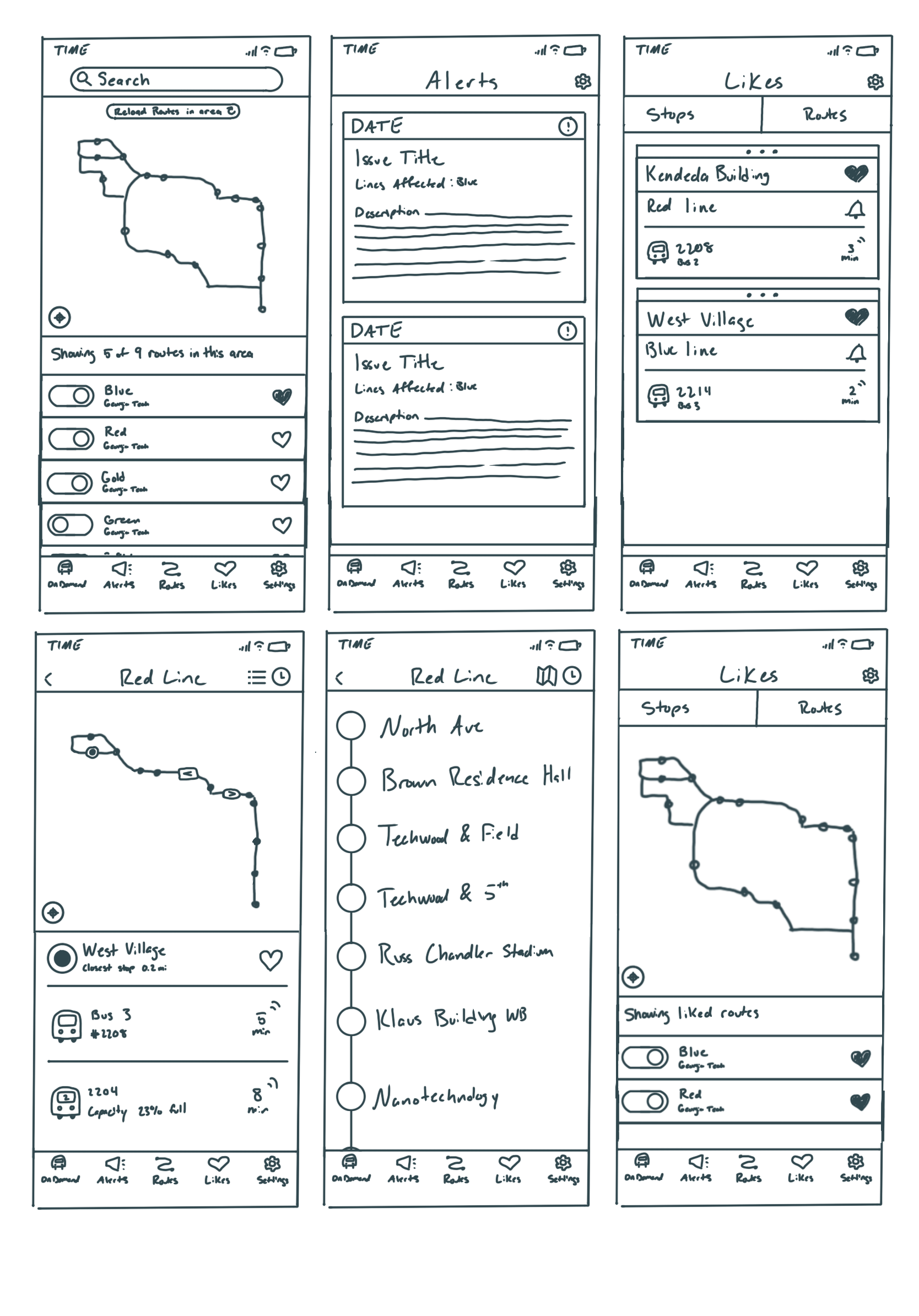
it’s not about reinventing the wheel
The comparative analysis and student interviews revealed that the app was largely functional, but with structural issues. My sketch wireframes sought to modify components while keeping the overall look cohesive.
Hidden Functions
Confusing Icons
Inconsistent Information

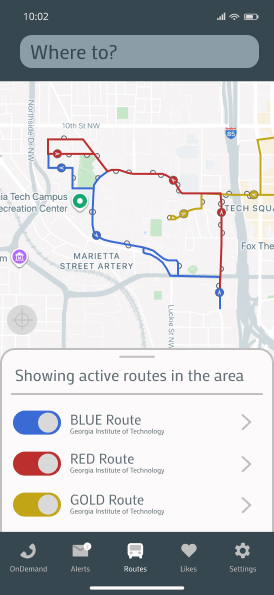
A navigation bar that requires no digging
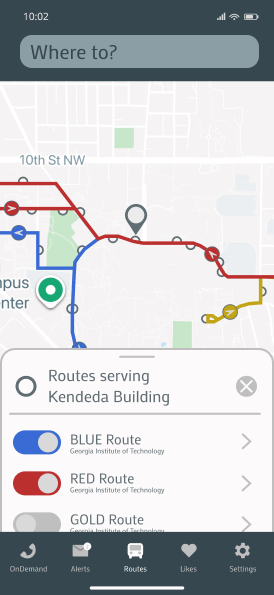
Previously, the navigation bar tabs made alerts and likes difficult to find, as well as prioritizing features that were uncommonly used. The updated layout increases visibility of predominant features.
The layout of the new navigation bar centers frequently used features and moves infrequently used features outside.
Revised
Original

OnDemand
Routes
Likes
Settings
Alerts


2


Revised
Revised
Original
Original
Icons for knowing where to go
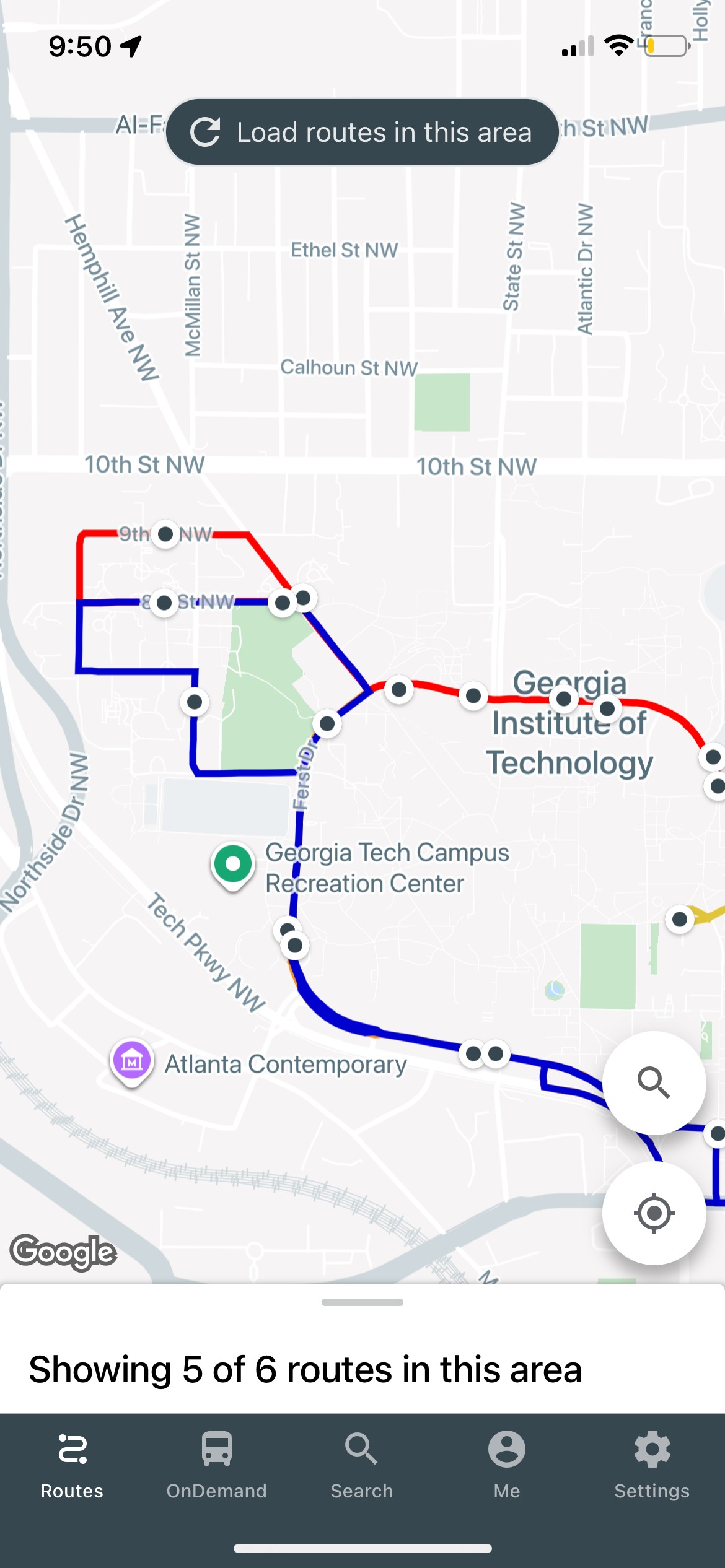
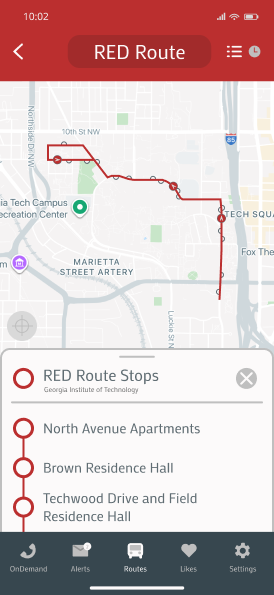
The original icons made route direction indistinguishable. Now, the semicircle icon indicates which side of the street stops are found.


Bus
Stop
Selected
Stop
Revised
Original


Bus
Stop
Selected
Stop
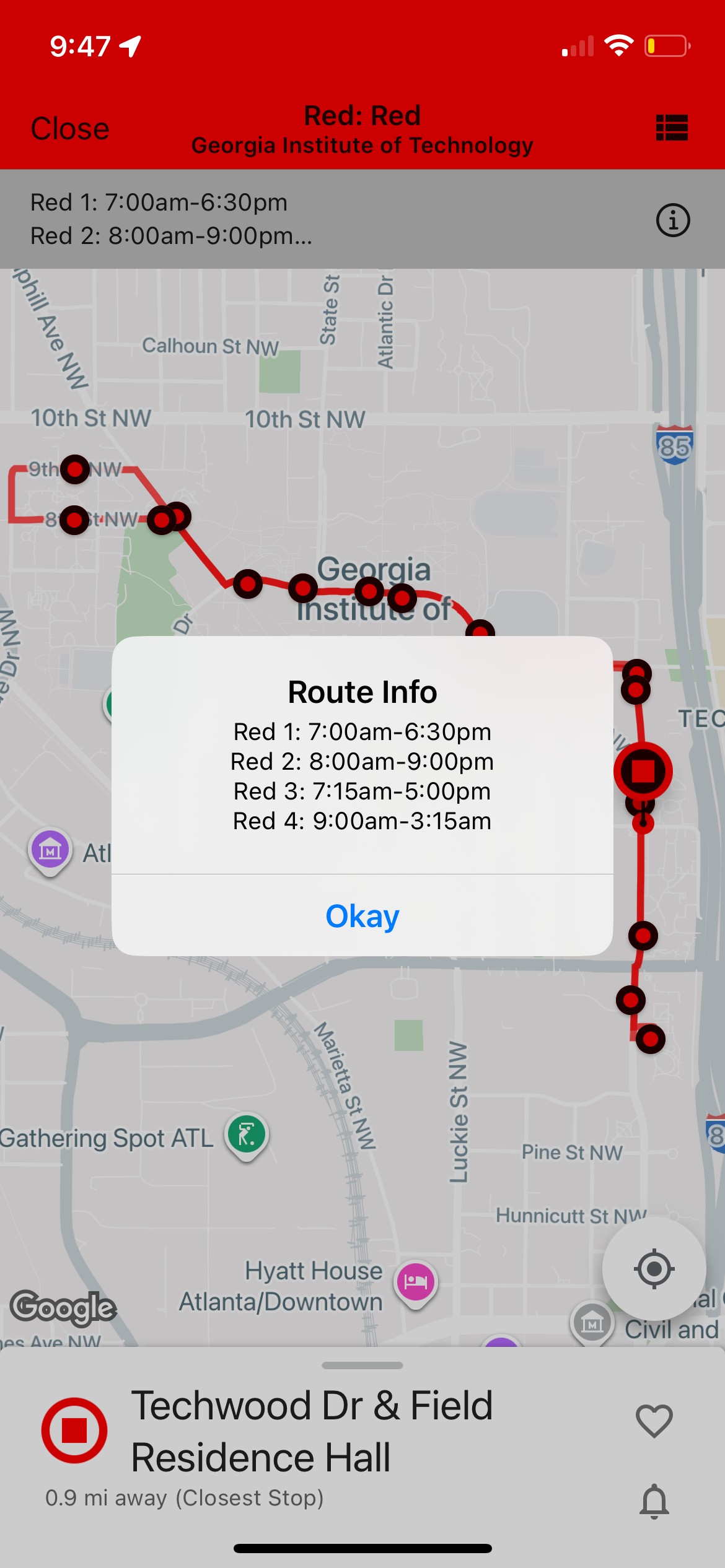
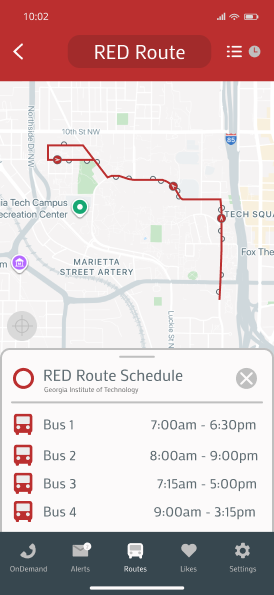
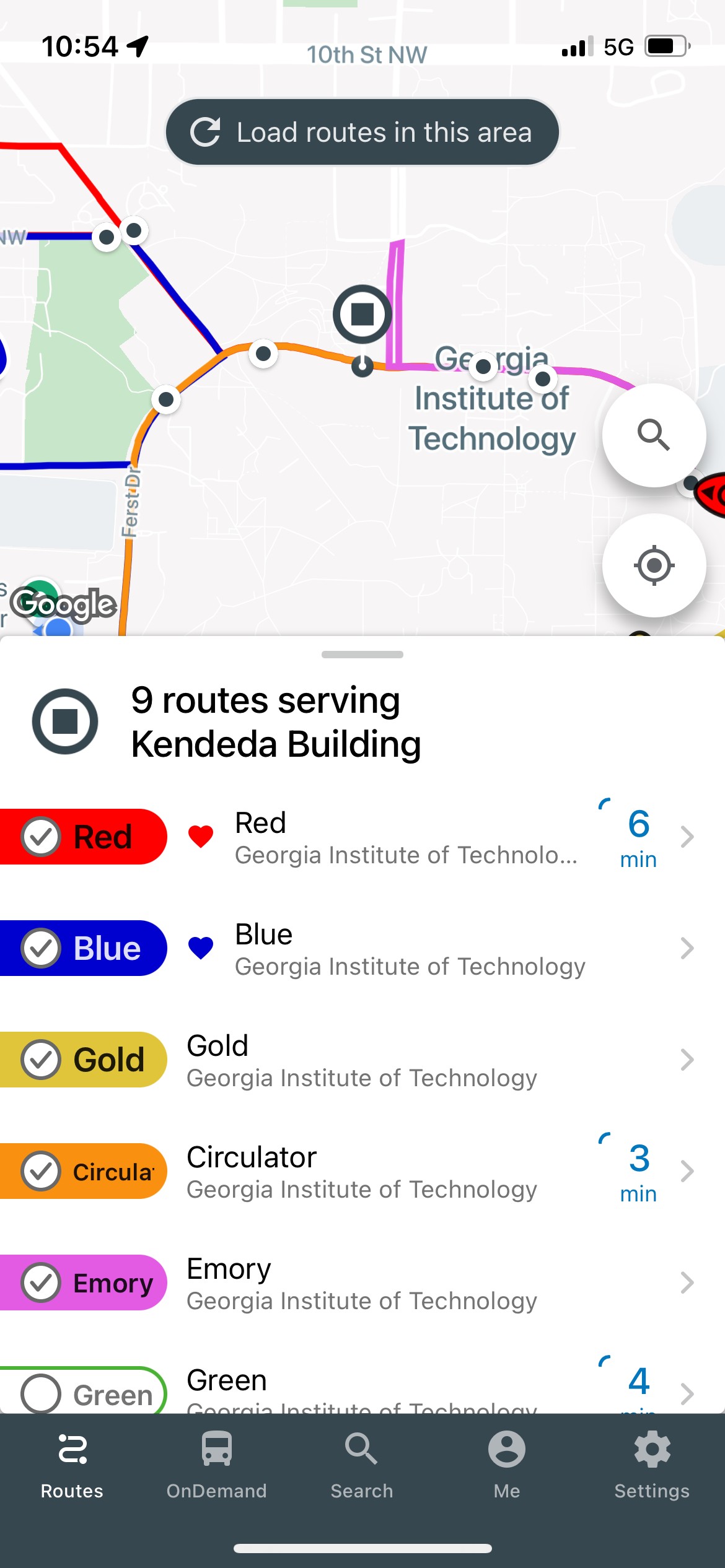
Bus schedules you can understand
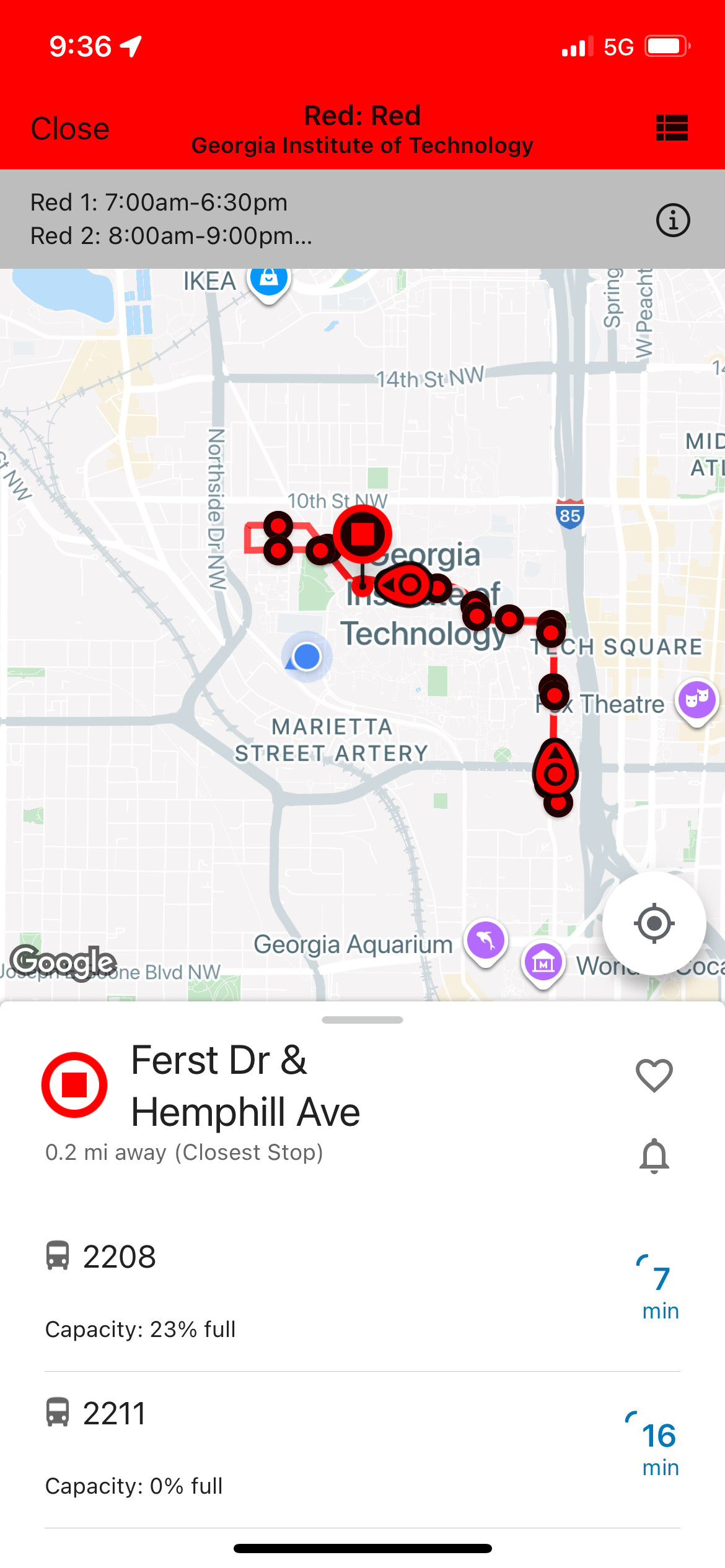
The schedule can be found on the same card as upcoming buses, with the correct bus names.
Original
Revised
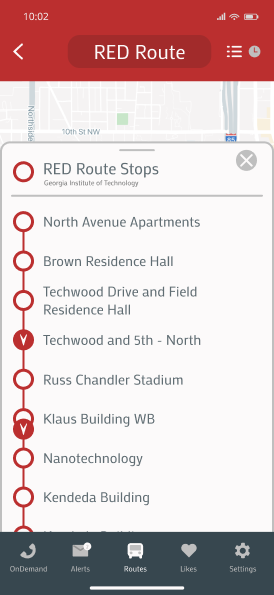
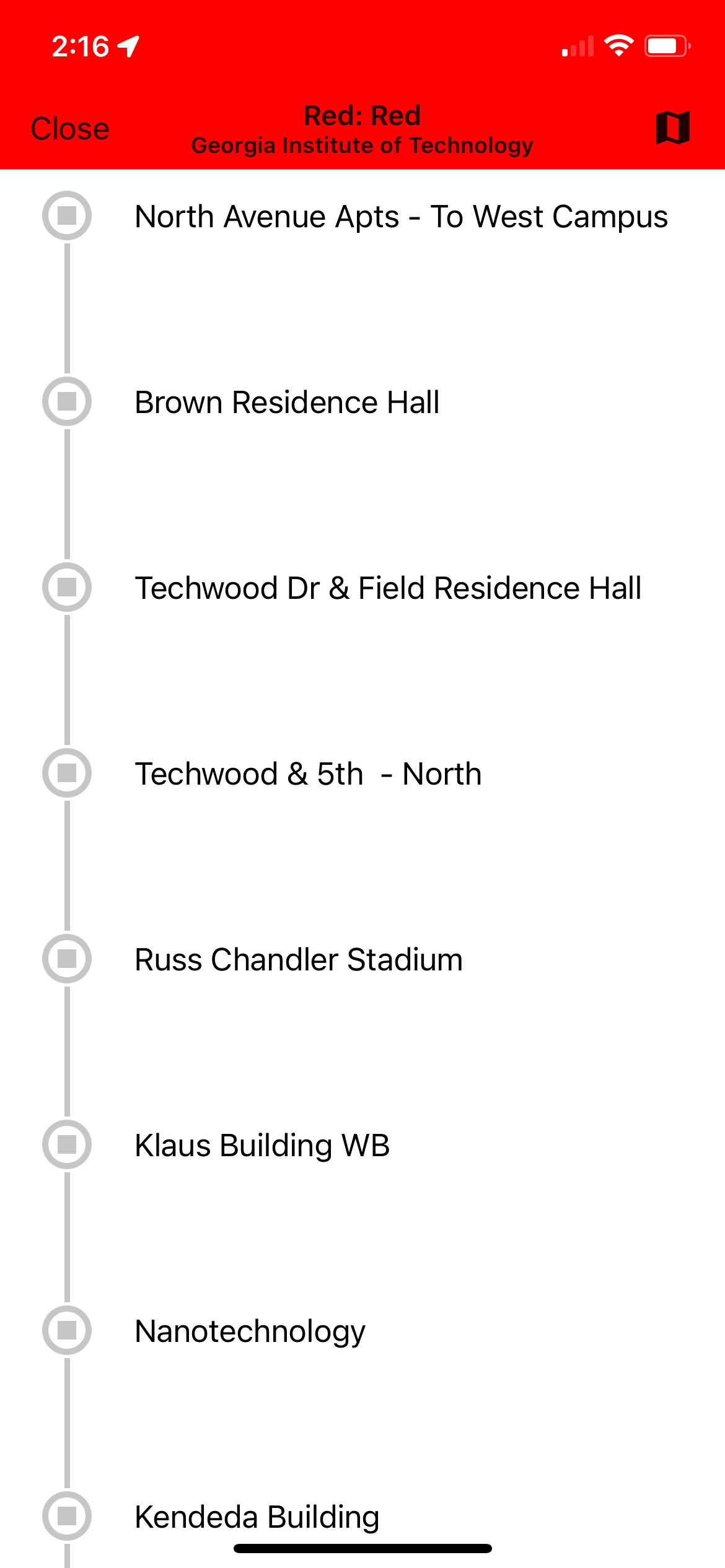
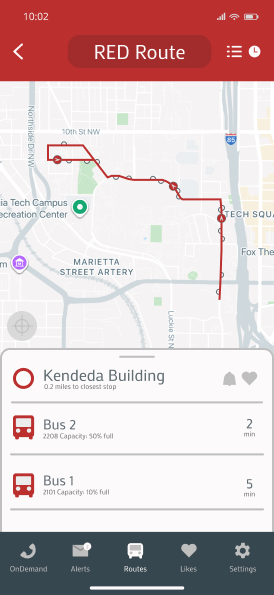
Another way to track buses live
The original design of the app allows users to click through stops on the map or scroll through them in a list view. However, this does not show active buses as it does on the map.
The revision allows users to see active buses relative to their stops on both the map and list view.
Original
Revised
Your favorite bus stops in plain sight
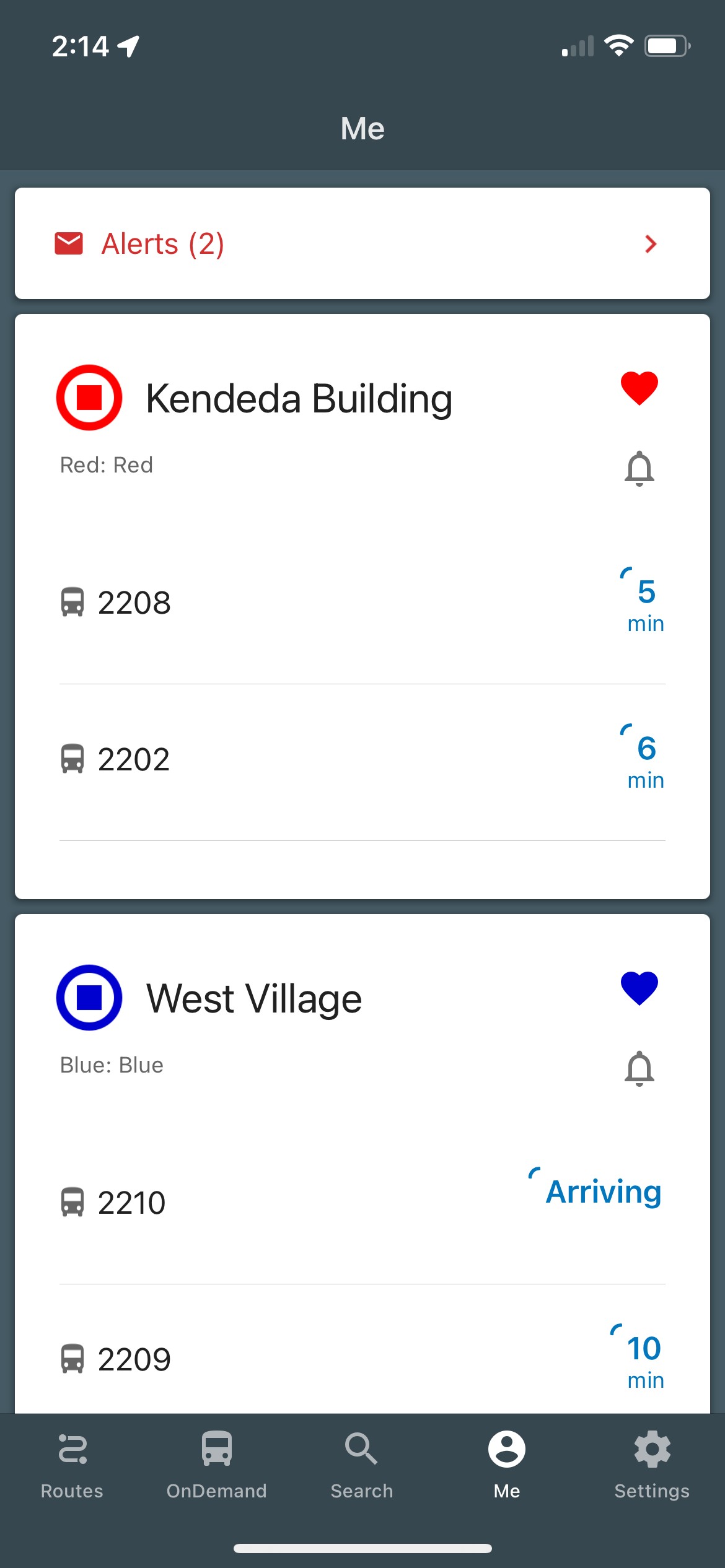
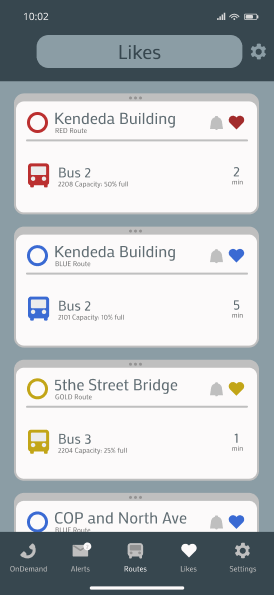
Previously, liked bus stops appeared under the “Me” page, in order of most recently liked. The revised version includes a “Likes” page, where users can easily find their liked stops and customize the order of their appearance.
Revised
Original
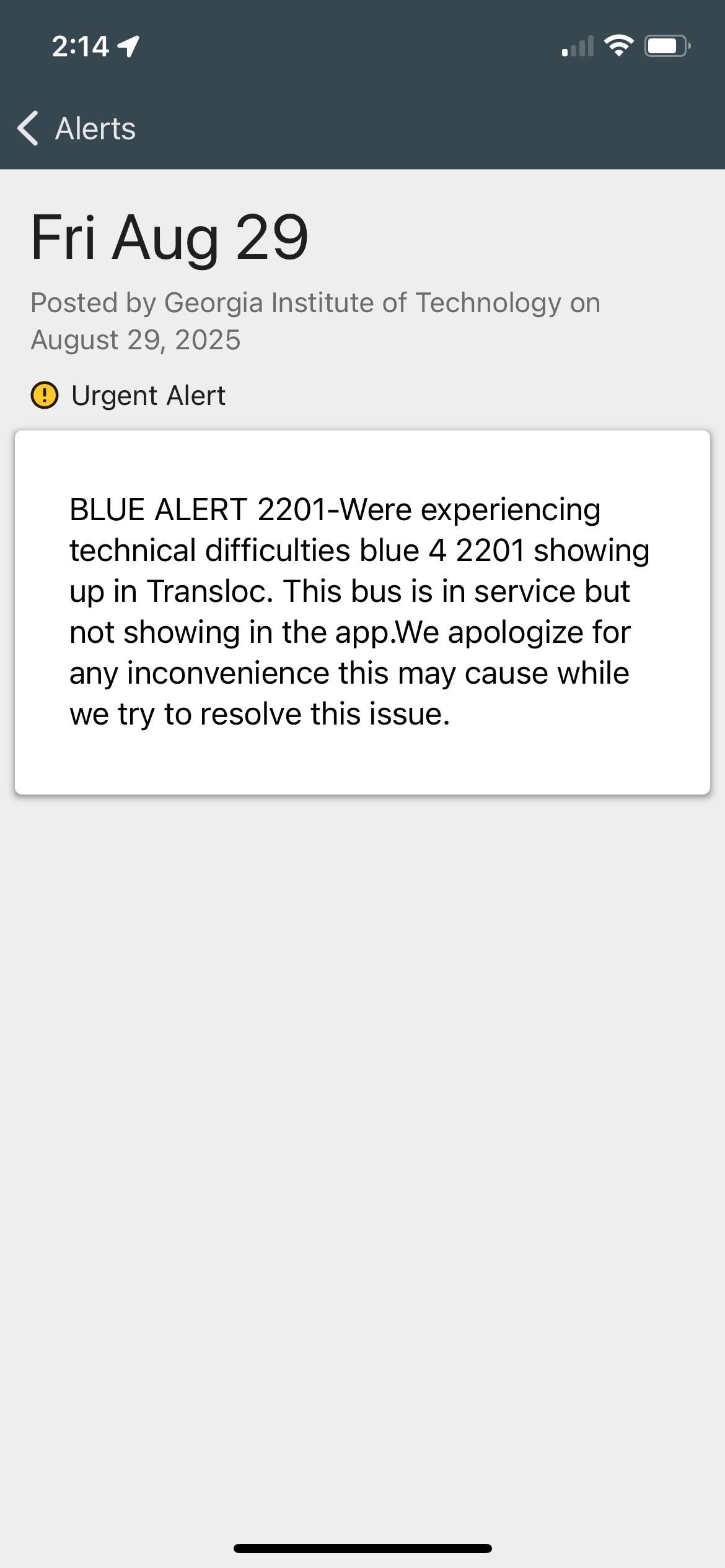
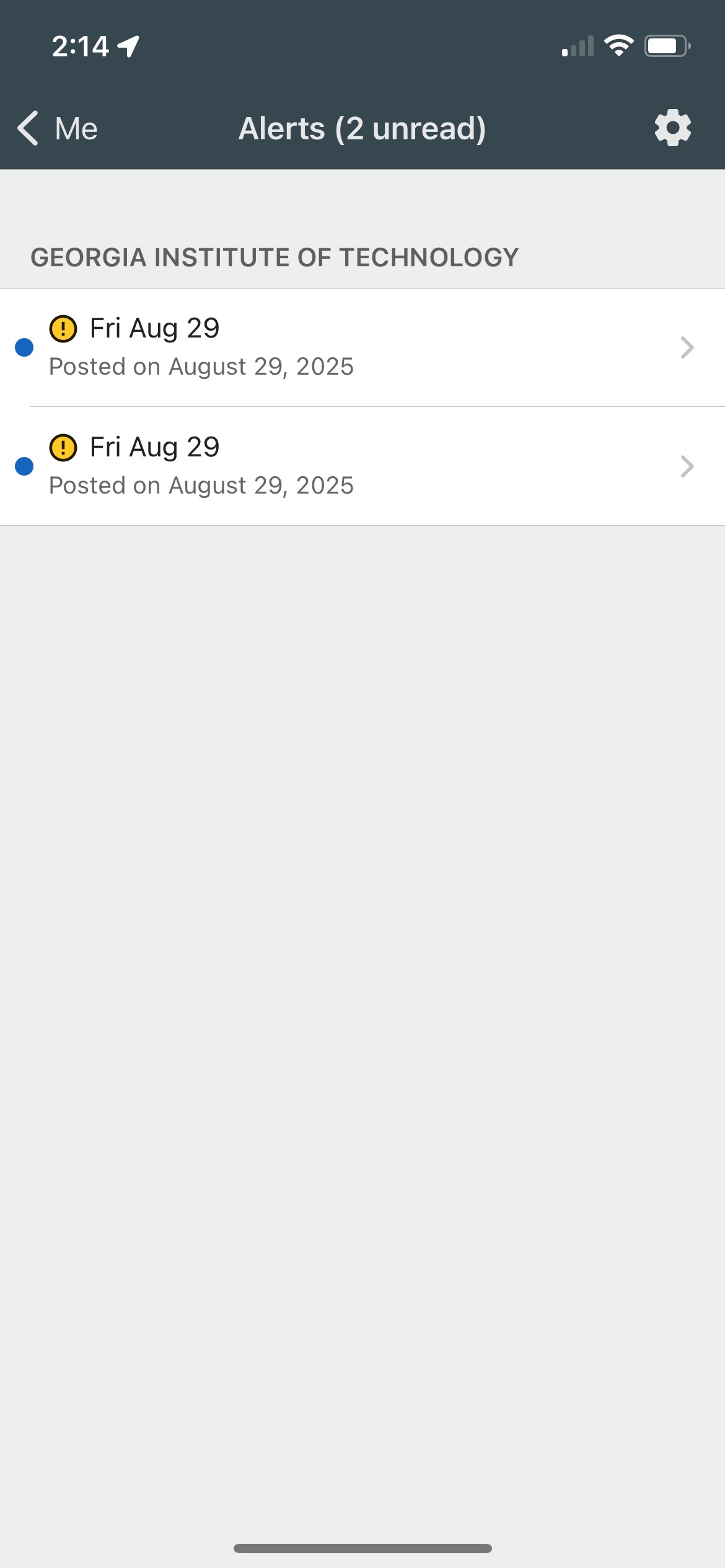
Easily find alerts that may affect your routes
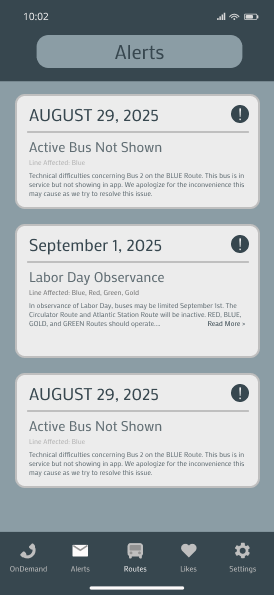
Initially, alerts could be found under the “Me” page on the navigation bar, without notification that they were there and requiring multiple clicks to see the content of each alert.
This revision creates an “Alerts” page, with alerts visible at a glance and a notification badge on the navigation bar.
Original
Revised
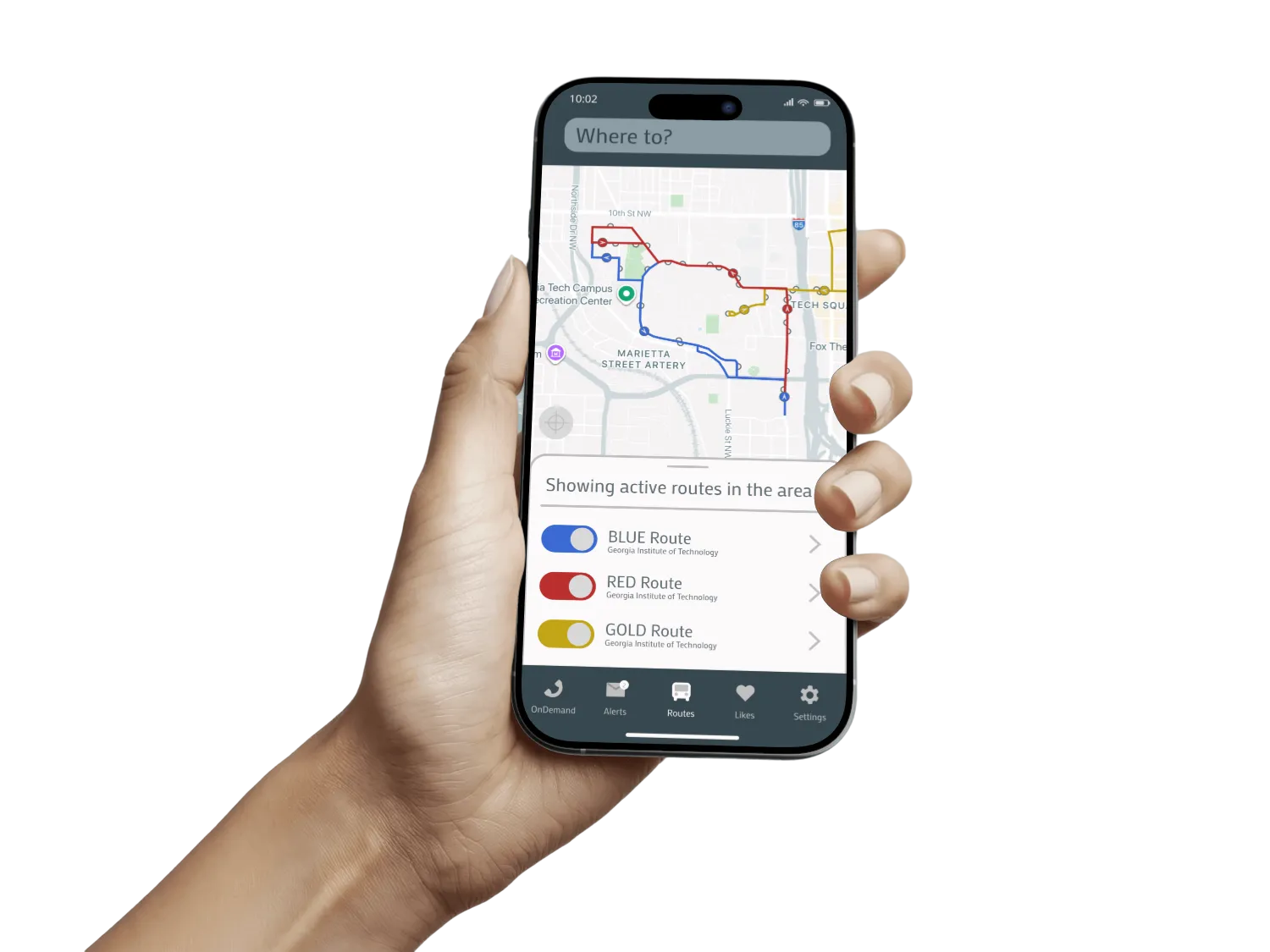
TransLoc: the smarter way to move
TransLoc
Meet the new
The smarter way to move.
Anastacia Devlin
TransLoc App Audit
Review and redesign of TransLoc, a campus transportation app used
by universities nationwide.
Role
UI/UX Designer
Timeframe
2 weeks
Team
Solo Project
Reducing friction in campus transportation




Live bus tracking
View all routes at once
Schedule of when buses run
Distance to closest stop
Clear direction of route
List of favorite stops
On-Demand service link
Different map views
Differentiate active vs inactive routes
Notification center for general
Other public transportation info
Features


With two weeks to complete this audit, I began with a quick comparative analysis with other university transportation apps.
Then, I conducted short interviews with students to understand what issues they experienced. Many stemmed from the overall flow of the app.
better than the others, but still not the best
improving information architecture








Interaction
Information
Open App
Routes
Select
route
Stingerette
Addresses
Agency Preferences
Send Feedback
Edit Account
Search
Paratransit
Routes
Selected
Route
Location
Map of Area
Map of Area
(buses on route)
Dropoff Location
Route
Schedule
Pickup Location
Bus Stops
on Route
Set
Pickup Time
Confirm Details
Number of Riders
Bus Stop List View
Service Notifications
Wheelchair User
Options
Arrival
Estimate
Leave
by time
Active Map Directions
Fare
Estimate
Duration
Destination
Liked bus stops
Ride History
Privacy Policy
Log Out
Homing
GCATT
On Demand
Search
Me
Settings

Closest
Bus Stop
Set Arrival
Notification
Bus
Capacity
Distance to
Closest Stop
Like Route
Estimated
Arrival (min)
Alerts
Select Alert

Settings
Search
Nearby
Agencies
Visible
Receive Alerts






Open App
On Demand
Alerts
Routes
Likes
Settings
Visible Alerts
Liked Stops

Settings
Search
Nearby
Agencies
Visible
Receive Alerts
Address
Select route
Search
Homing
Interaction
Information
Stingerette
Paratransit
Map of Area
Dropoff Location
Pickup Location
Set
Pickup Time
Confirm Details
Number of Riders
Service Notifications
Wheelchair User
GCATT
Map of Area
(buses on route)
Route
Schedule
Bus Stops
on Route
Bus Stop List View
Closest
Bus Stop
Set Arrival
Notification
Set Arrival
Notification
Bus
Capacity
Bus
Capacity
Distance to
Closest Stop
Distance to
Closest Stop
Like Route
Like Route
Estimated
Arrival (min)
Estimated
Arrival (min)
Location
Options
Arrival
Estimate
Leave
by time
Active Map Directions
Fare
Estimate
Duration
Destination
Agency Preferences
Send Feedback
Edit Account
Ride History
Privacy Policy
Log Out
Before
After
it’s not about reinventing the wheel
The comparative analysis and student interviews revealed that the app was largely functional, but with structural issues. My sketch wireframes sought to modify components while keeping the overall look cohesive.
Hidden Functions
Confusing Icons
Inconsistent Information
A navigation bar that requires no digging
Previously, the navigation bar tabs made alerts and likes difficult to find, as well as prioritizing features that were uncommonly used. The updated layout increases visibility of predominant features.
The layout of the new navigation bar centers frequently used features and moves infrequently used features on the outside.
Revised
Original
OnDemand
Routes
Likes
Settings
Alerts


2


Icons for knowing where to go
Exit routes without reloading the map.
The original icons made route direction indistinguishable. Now, the semicircle icon indicates which side of the street stops are found.


Bus
Stop
Selected
Stop
Revised
Original
Bus schedules you can understand
The schedule can be found on the same card as upcoming buses, with the correct bus names.
Original
Revised
Another way to track buses live
The original design of the app allows users to click through stops on the map or scroll through them in a list view. However, this does not show active buses as it does on the map.
The revision allows users to see active buses relative to their stops on both the map and list view.
Original
Revised


Your favorite bus stops in plain sight
Previously, liked bus stops appeared under the “Me” page, in order of most recently liked. The revised version includes a “Likes” page, where users can easily find their liked stops and customize the order of their appearance.
Revised
Original
Easily find alerts that may affect your routes
Initially, alerts could be found under the “Me” page on the navigation bar, without notification that they were there and requiring multiple clicks to see the content of each alert.
This revision creates an “Alerts” page, with alerts visible at a glance and a notification badge on the navigation bar.
Original
Revised
TransLoc: the smarter way to move
TransLoc
Meet the new
The smarter way to move.
Original