Anastacia
Devlin
IMAZ
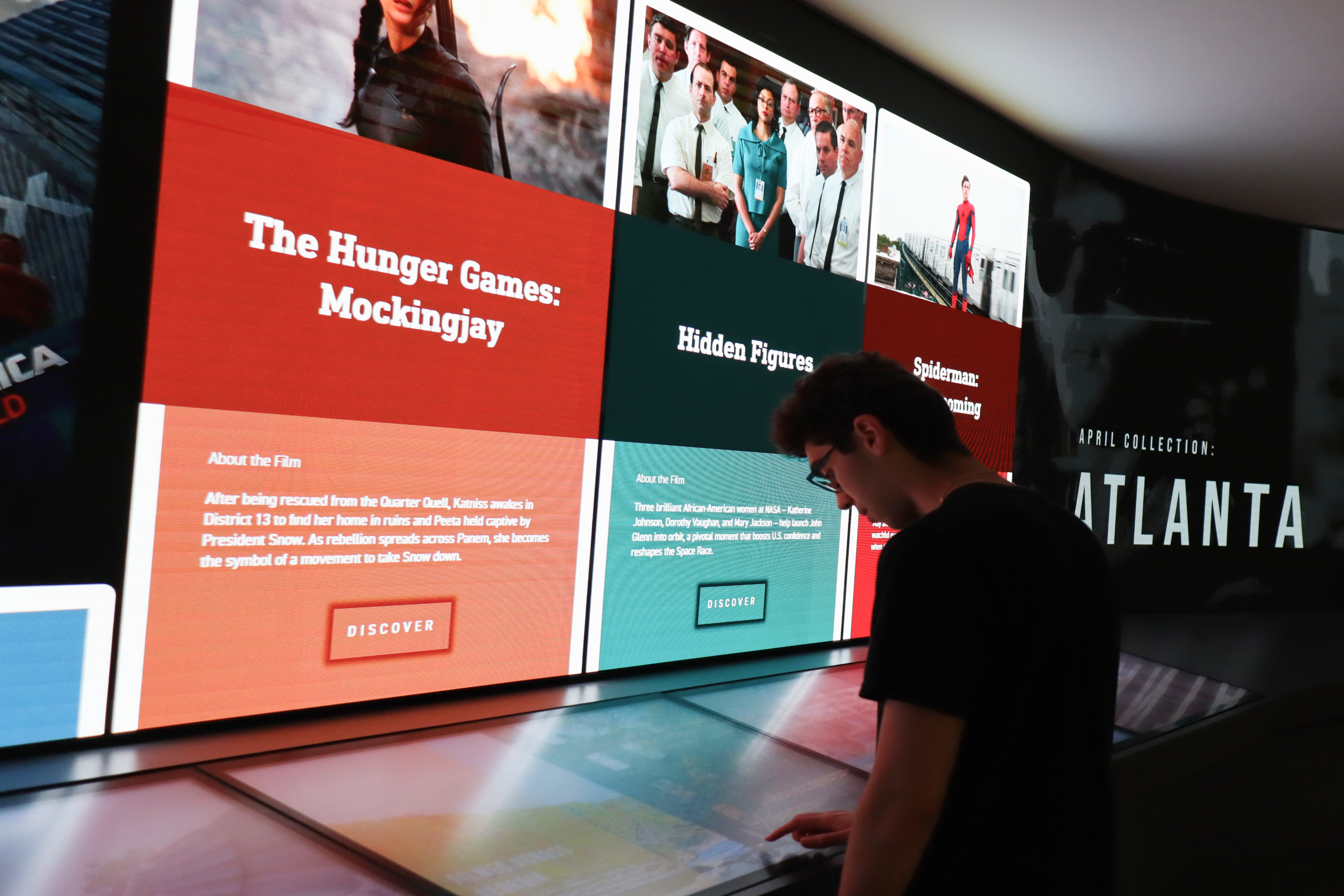
Explore film through an interactive exhibit
Role
Visual Design
Animation
Timeframe
12 weeks
Team
Jett Lopez
Sarah Galloway
Mandy Le
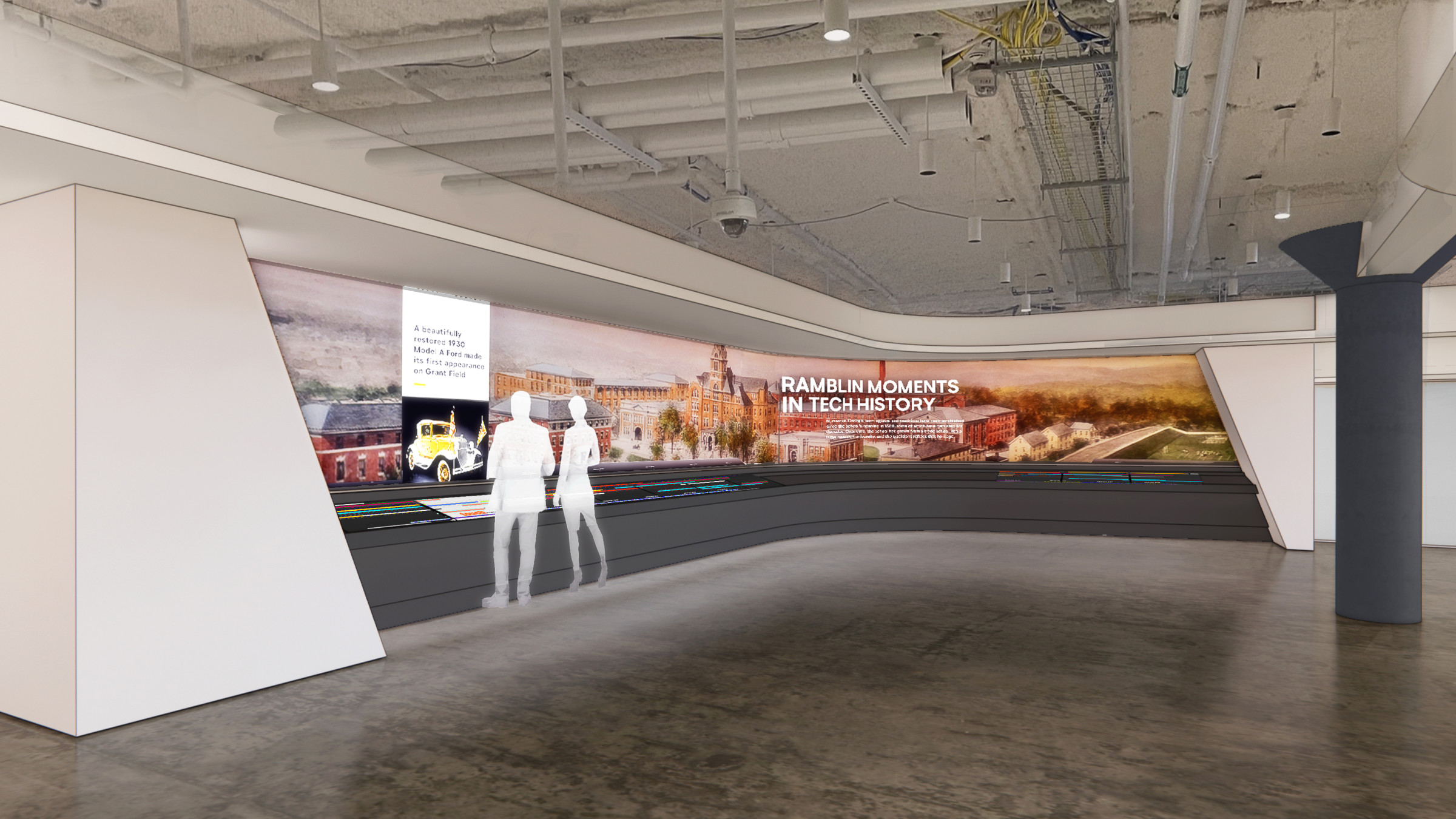
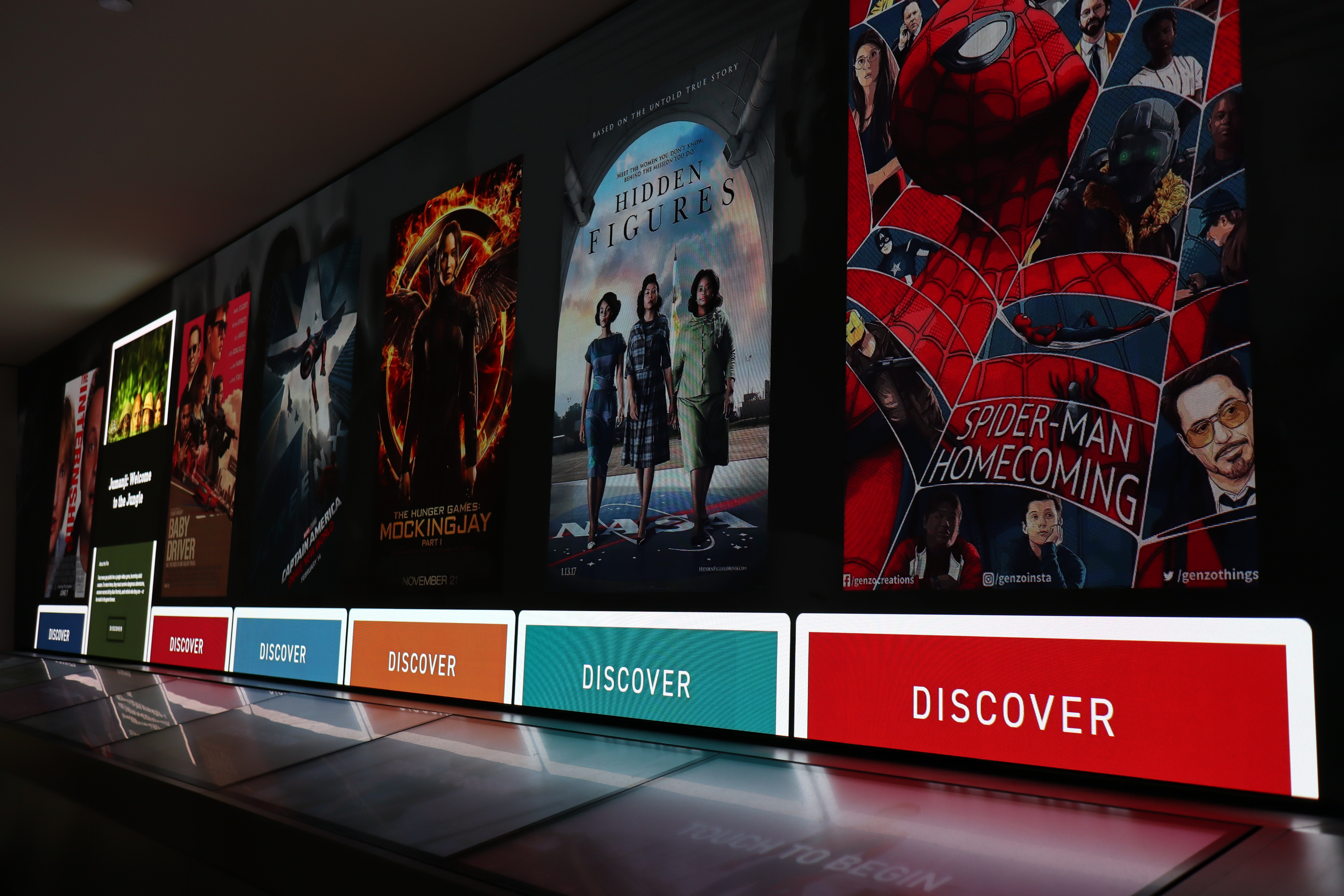
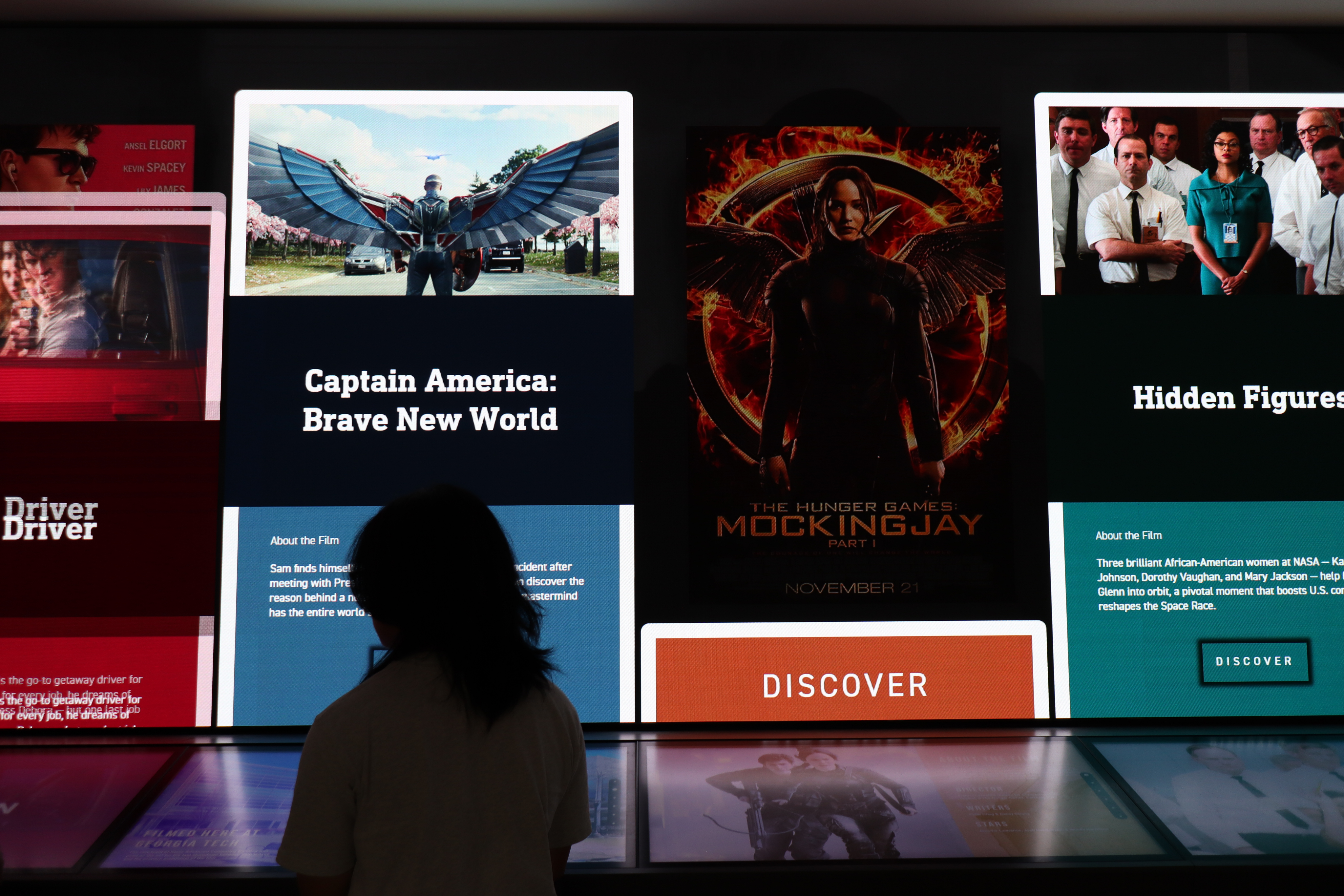
A 40-foot, L-shaped screen with 10 interactive touchscreens
Phase 1
Create a video prototype of an interactive exhibit using the IMZ. This a non-functioning, high-fidelity prototype.
What is the IMZ?
Phase 2
Use the IMZ’s codebase to create a functional version of the interactive exhibit created in Phase 1.
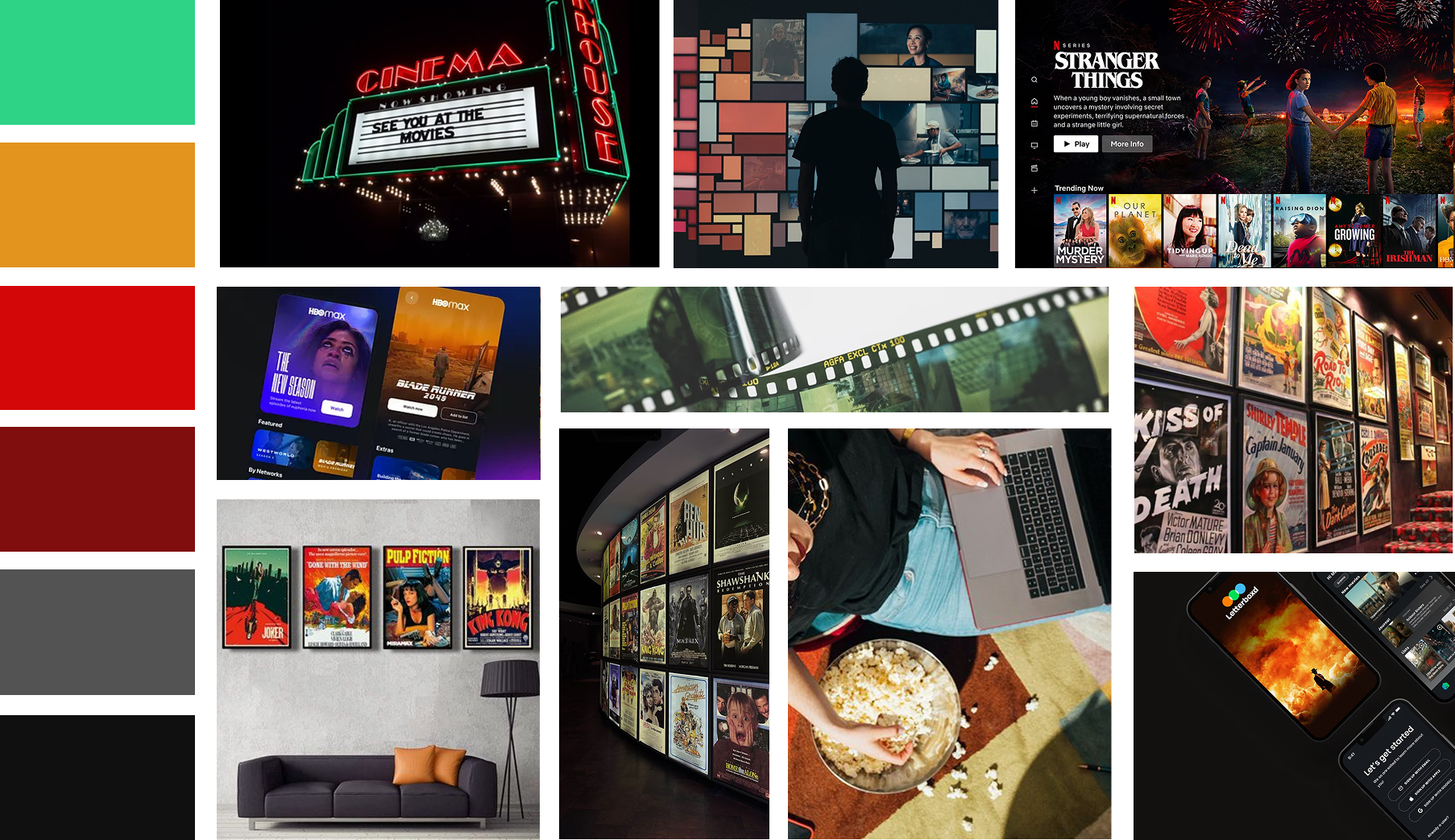
A mix of your favorite streaming service and your local movie theater
A clear visual direction was necessary for building an attention-grabbing exhibit. An established mood board set the tone of drama and immersion for the exhibit as a whole.
Coordinating live movements with synchronized animation.

Becoming the wizard behind the curtain
I used the components from these screens to animate the intended interactions. Below, the intended interaction is selecting Oppenheimer from the landing screen.
Our initial design created three zones that users can visit to explore different aspects of a selected film.
To create the video prototype for Phase 1, our team began creating screens for each stage of the exhibit.



It’s not a movie without the previews
Phase 1 ends with a short video previewing how the interactive exhibit would operate. Please contact me for the full video preview.
Simulated interaction to functioning exhibit
Phase 2 adapts the conceptual and visual design from Phase 1 into an interactive exhibit, structured to operate within the IMZ’s encoded framework.
Phase 1 Landing and Selection screens
Phase 2 Landing and Selection screens


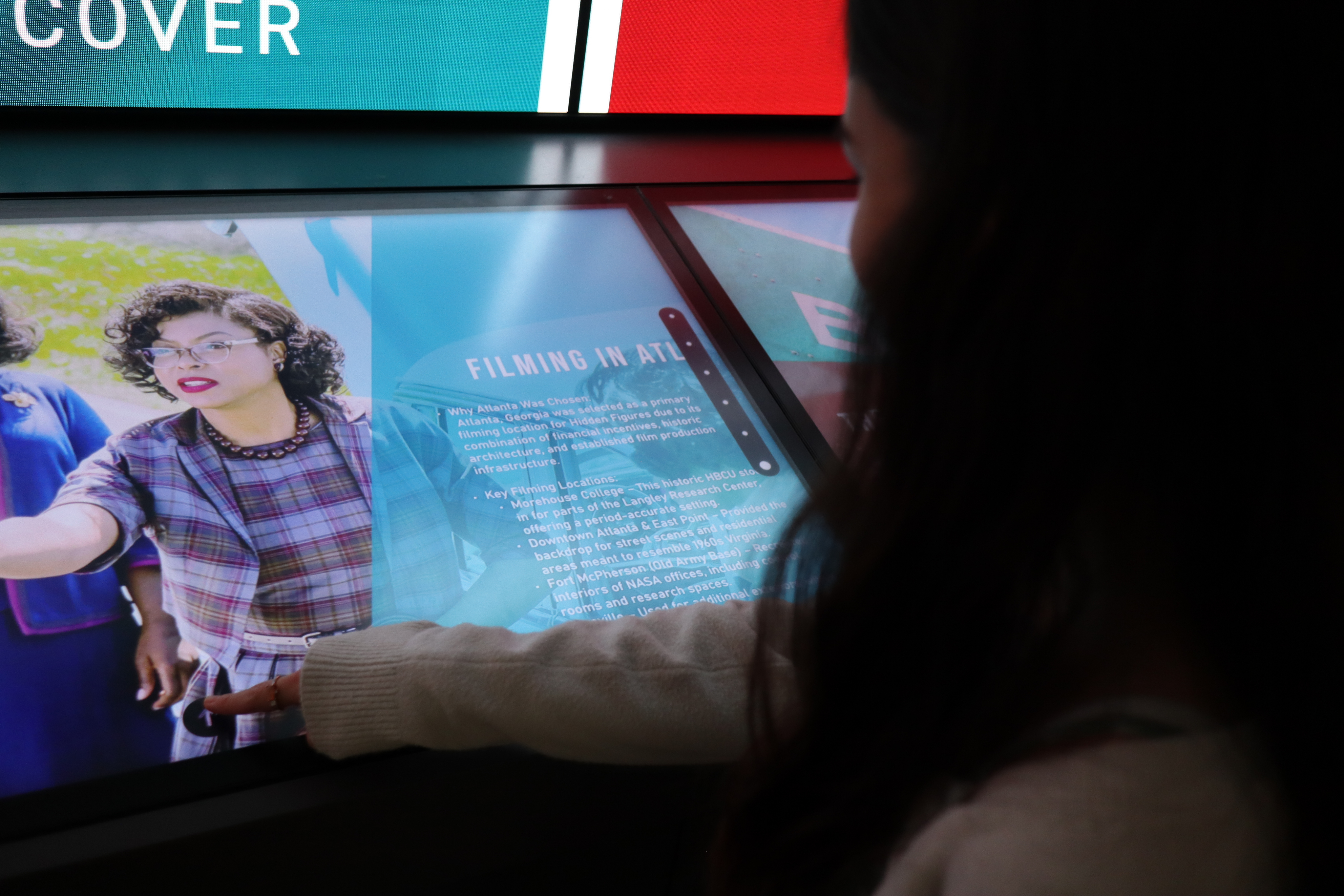
Individual stations. Individual experiences.
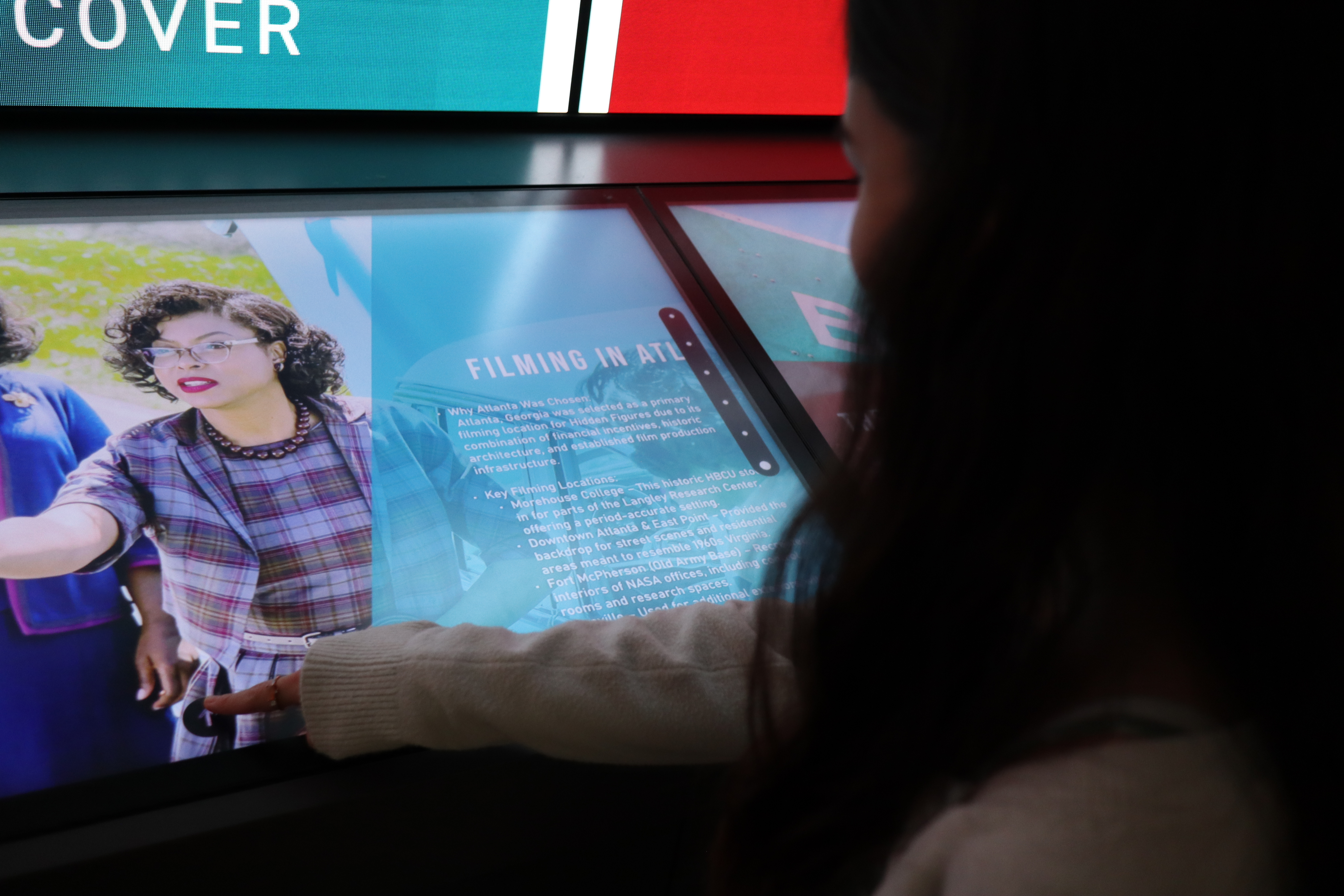
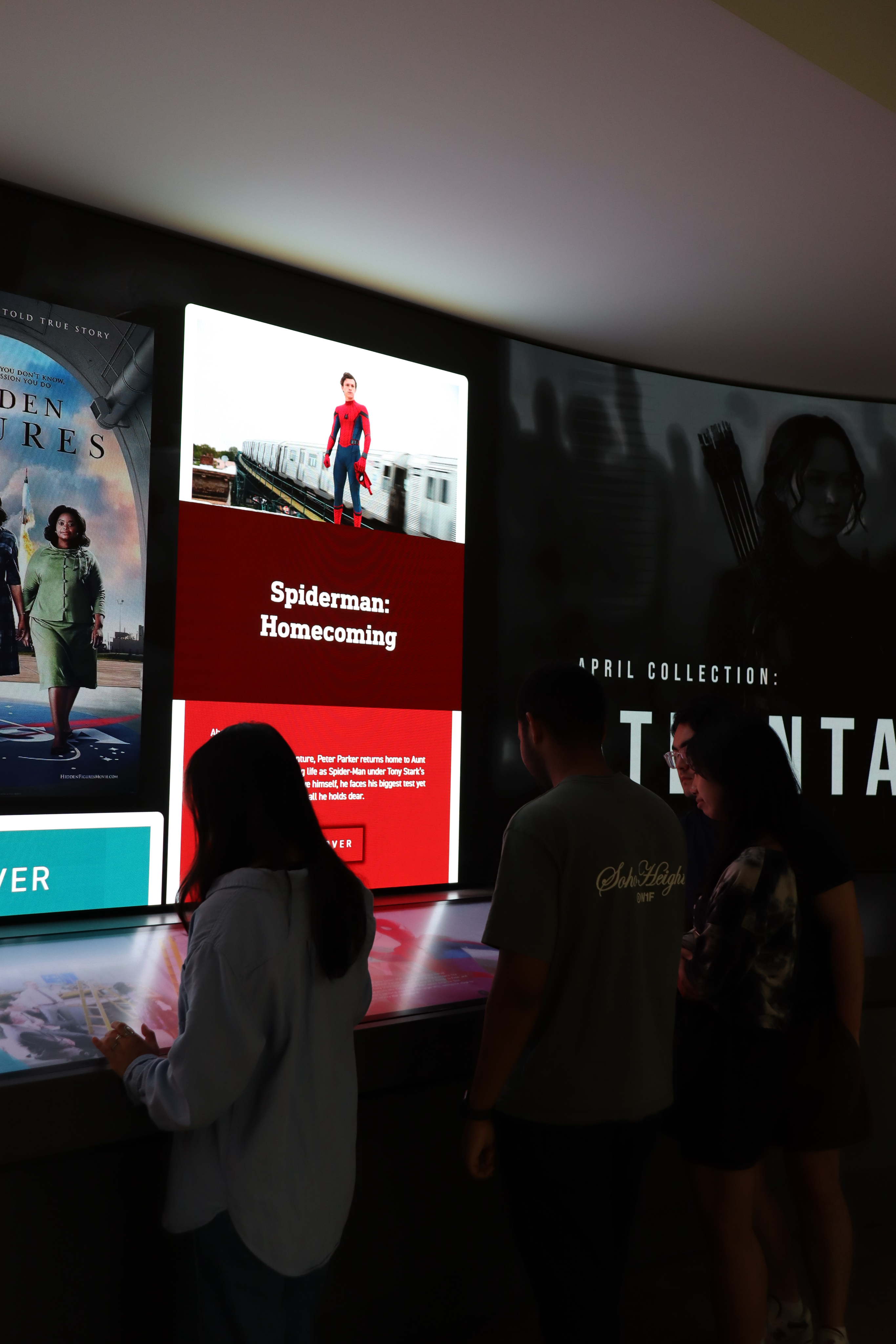
The IMZ can host interactive exhibits using a specific encoded format. This format uses the touchscreens below to designate 10 distinct stations.
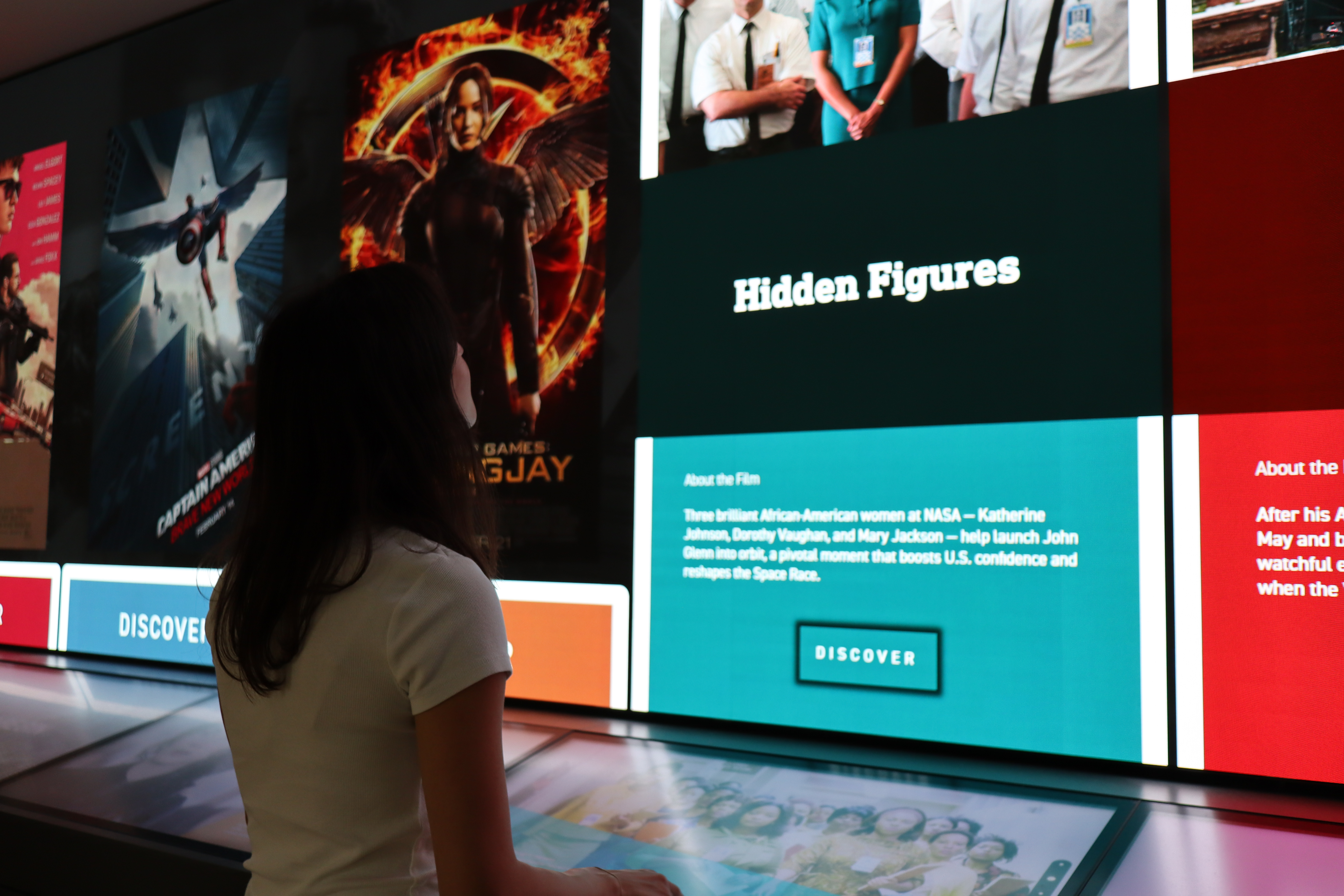
We used these touchscreens to display content related to the movie shown on the large screen above. Users could move between movies, swiping through content at each station.
Go beyond the screen with IMAZ
Explore 10 movies of a relating theme each month of operation.
Anastacia Devlin
IMAZ
An interactive film exhibit at the Interactive Media Zone at Georgia Tech.
Role
Visual Design
Animation
Timeframe
12 weeks
Team
Jett Lopez
Sarah Galloway
Mandy Le
Explore film through an interactive exhibit
A 40-foot, L-shaped screen with 10 interactive touchscreens
Phase 1
Create a video prototype of an interactive exhibit using the IMZ. This a non-functioning, high-fidelity prototype.
What is the IMZ?
Phase 2
Use the IMZ’s codebase to create a functional version of the interactive exhibit created in Phase 1.
A mix of your favorite streaming service and your local movie theater
A clear visual direction was necessary for building an attention-grabbing exhibit. An established mood board set the tone of drama and immersion for the exhibit as a whole.
Becoming the wizard behind the curtain
To create the video prototype for Phase 1, our team began creating screens for each stage of the exhibit.
Our initial design created three zones that users can visit to explore different aspects of a selected film.
I used the components from these screens to animate the intended interactions. Below, the intended interaction is selecting Oppenheimer from the landing screen.
Coordinating live movements with synchronized animation.
It’s not a movie without the previews
Phase 1 ends with a short video previewing how the interactive exhibit would operate. Please contact me for the full video preview.
Simulated interaction to functioning exhibit
Phase 2 adapts the conceptual and visual design from Phase 1 into an interactive exhibit, structured to operate within the IMZ’s encoded framework.
Phase 1 Landing and Selection screens
Phase 2 Landing and Selection screens

Individual stations. Individual experiences.
The IMZ can host interactive exhibits using a specific encoded format. This format uses the touchscreens below to designate 10 distinct stations.
We used these touchscreens to display content related to the movie shown on the large screen above. Users could move between movies, swiping through content at each station.
Go beyond the screen with IMAZ
Explore 10 movies of a relating theme each month of operation.